Annotations
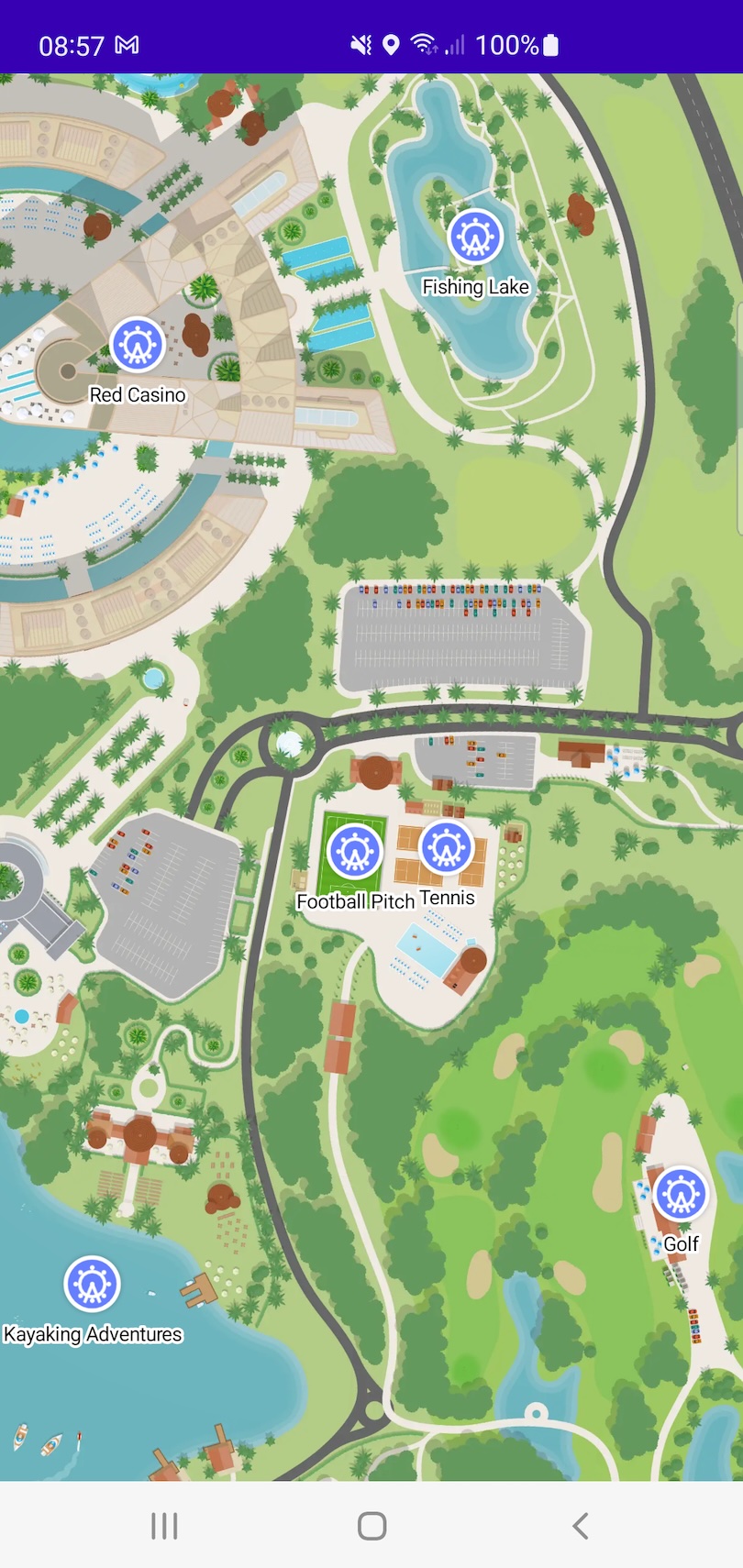
Annotations allow you to mark specific locations on your map with custom views. MapLayr provides a flexible annotation system through CoordinateAnnotationLayer.
Creating an Annotation Type
Start by defining a data type that represents your annotation. This can be a class that includes the location and any additional data needed to display the annotation.
data class Attraction(
    val name: String,
    val latitude: Double,
    val longitude: Double,
    val iconImage: Int
) {

    override fun toString() = name
}
An example can be found here: Attraction.kt
CoordinateAnnotationLayer.Adapter
To show annotations you must add a CoordinateAnnotationLayer to the MapView. The CoordinateAnnotationLayer requires a CoordinateAnnotationLayer.Adapter parameter. The CoordinateAnnotationLayer.Adapter class is parameterised by the data type that represents your annotation and is used to provide the CoordinateAnnotationLayer with the View and GeographicCoordinate for your annotation.
The SDK provides a LabeledAnnotationIcon class, which extends View that can be used for your annotation should you not wish to create your own View. The LabeledAnnotationIcon is composed of an image icon above an outlined text view.

class AnnotationLayerAdapter : CoordinateAnnotationLayer.Adapter<Attraction> {

    // Define a CoordinateAnnotationViewHolder containing a LabeledAnnotationIcon
    class LabeledAnnotationIconViewHolder(view: LabeledAnnotationIcon) : CoordinateAnnotationViewHolder(view)

    // Create an instance of the LabeledAnnotationIconViewHolder
    override fun createView(parent: ViewGroup, viewType: Int) = LabeledAnnotationIconViewHolder(LabeledAnnotationIcon(parent.context))

    // Bind the data for a given `Attraction` to the LabeledAnnotationIcon
    override fun bindView(coordinateAnnotationViewHolder: CoordinateAnnotationViewHolder, element: Attraction) {
        val labeledAnnotationIcon = coordinateAnnotationViewHolder.view as LabeledAnnotationIcon

        labeledAnnotationIcon.labelTextColor = ColorStateList.valueOf(Color.BLACK)
        labeledAnnotationIcon.labelText = element.name
        (labeledAnnotationIcon.annotationIcon as ImageView).setImageResource(element.iconImage)
    }

    // Provide the geographic coordinate for a given `Attraction`
    override fun annotationLocation(element: Attraction) = GeographicCoordinate(element.latitude, element.longitude)
}
An example can be found here: AnnotationLayerAdapter.kt
Multiple View Types
Override elementViewType when your annotation layer mixes visually-distinct annotation kinds and you want each rendered with its own view.
class AnnotationLayerAdapter : CoordinateAnnotationLayer.Adapter<Attraction> {

    companion object {
        private const val RIDE_VIEW_TYPE = 0
        private const val FOOD_VIEW_TYPE = 1
    }

    override fun elementViewType(element: Attraction): Int = when (element.kind) {
        Attraction.Kind.Ride -> RIDE_VIEW_TYPE
        Attraction.Kind.FoodVendor -> FOOD_VIEW_TYPE
    }

    override fun createView(parent: ViewGroup, viewType: Int): CoordinateAnnotationViewHolder = when (viewType) {
        RIDE_VIEW_TYPE -> RideViewHolder(RideAnnotationView(parent.context))
        FOOD_VIEW_TYPE -> FoodViewHolder(FoodAnnotationView(parent.context))
        else -> error("Unknown view type: $viewType")
    }

    // bindView, annotationLocation, ...
}
The default returns 0, so by default every element shares one view type and all annotation views are recycled together.
Stable Identifiers
Override elementStableId to tell the annotation layer when two element instances represent the same logical annotation. This is most useful when you refresh your data via replace() and want existing views to update in place rather than being destroyed and recreated.
data class Attraction(
    val id: String,        // stable across refreshes
    val name: String,
    val latitude: Double,
    val longitude: Double,
    val iconImage: Int,
    val waitTimeMinutes: Int
)

class AnnotationLayerAdapter : CoordinateAnnotationLayer.Adapter<Attraction> {

    override fun elementStableId(element: Attraction): Any? = element.id

    // createView, bindView, annotationLocation, etc.
}
With a stable id in place, replace() recognises a refreshed element with the same id as the existing annotation and calls bindView on the view to apply the new data. If the new element is structurally equal to the old one, bindView is skipped too.
Without a stable id (the default returns null), each replace() treats new instances as new annotations: every view is destroyed and recreated, and selection state is lost.
A worked example can be found here: StableIdSampleActivity.kt and StableIdAdapter.kt.
CoordinateAnnotationLayer
We can then create a CoordinateAnnotationLayer which takes as parameters a Context and a CoordinateAnnotationLayer.Adapter as so:
val annotationLayerAdapter = AnnotationLayerAdapter()
val coordinateAnnotationLayer = CoordinateAnnotationLayer(this, annotationLayerAdapter)
Then we are able to insert Attraction (the parameterised type specified in the AnnotationLayerAdapter) elements into the CoordinateAnnotationLayer. For example if we have a repository of attractions
object AttractionManager {

    val attractions = listOf(
        Attraction("Daeva", 52.8952, -1.8431, R.drawable.map_icon),
        Attraction("Eagle's Flight", 52.8982, -1.8463, R.drawable.map_icon),
        Attraction("Terragon", 52.8983, -1.8494, R.drawable.map_icon),
        Attraction("The Flying Dutchman", 52.8971, -1.8443, R.drawable.map_icon),
        Attraction("Wooden Warrior", 52.8949, -1.8445, R.drawable.map_icon)
    )
}
These can be inserted into the CoordinateAnnotationLayer as so:
Finally, add the coordinate annotation layer to the MapView as so:
Listening to Annotation Selection and Deselection Events
To listen for events when an annotation is selected or deselected provide an implementation of the CoordinateAnnotationLayer.Listener interface, which is parameterised to the type specified in the AnnotationLayerAdapter. Then set the coordinateAnnotationLayer.listener to be that implementation.
coordinateAnnotationLayer.listener = object : CoordinateAnnotationLayer.Listener<Attraction> {

    override fun didDeselectAnnotation(
        element: Attraction,
        coordinateAnnotationLayer: CoordinateAnnotationLayer<Attraction>
    ) {
        // `element` has been deselected
    }

    override fun didSelectAnnotation(
        element: Attraction,
        coordinateAnnotationLayer: CoordinateAnnotationLayer<Attraction>
    ) {
        // `element` has been selected
    }
}
An example can be found here: ExtendedSampleActivity.kt